Office 365 Email Backup Tool

Screens

Guide

Revove Office 365 Backup Tool

Experts verified software to backup Office 365 mailbox and save the items locally

  • Backup Office 365 Emails and Save in Outlook PST Format
  • Schedule An Automatic Backup of Office 365 Mailboxes on A Local Machine
  • Backup Office 365 Mailbox Items:Calendars, Contacts, Document, Emails
  • Allows Users to Create Required Size Output PST File
  • Apply Naming Conventions to Save Office 365 Emails Locally
  • Impersonation Feature for Multiple Office 365 Accounts Backup
  • Option to Save OneDrive Documents in Various Formats
  • Mailbox Filter for Selective Email Backup from Office 365
  • Date Filters to Archive Office 365 Mailbox According to Dates
  • Office 365 Email Backup Software is Compatible with Windows 11, 8, 7

Office 365 Backup Software - Features

Apply Advanced Filters to Customize Backup Office 365 Mailbox

backup office 365 emails

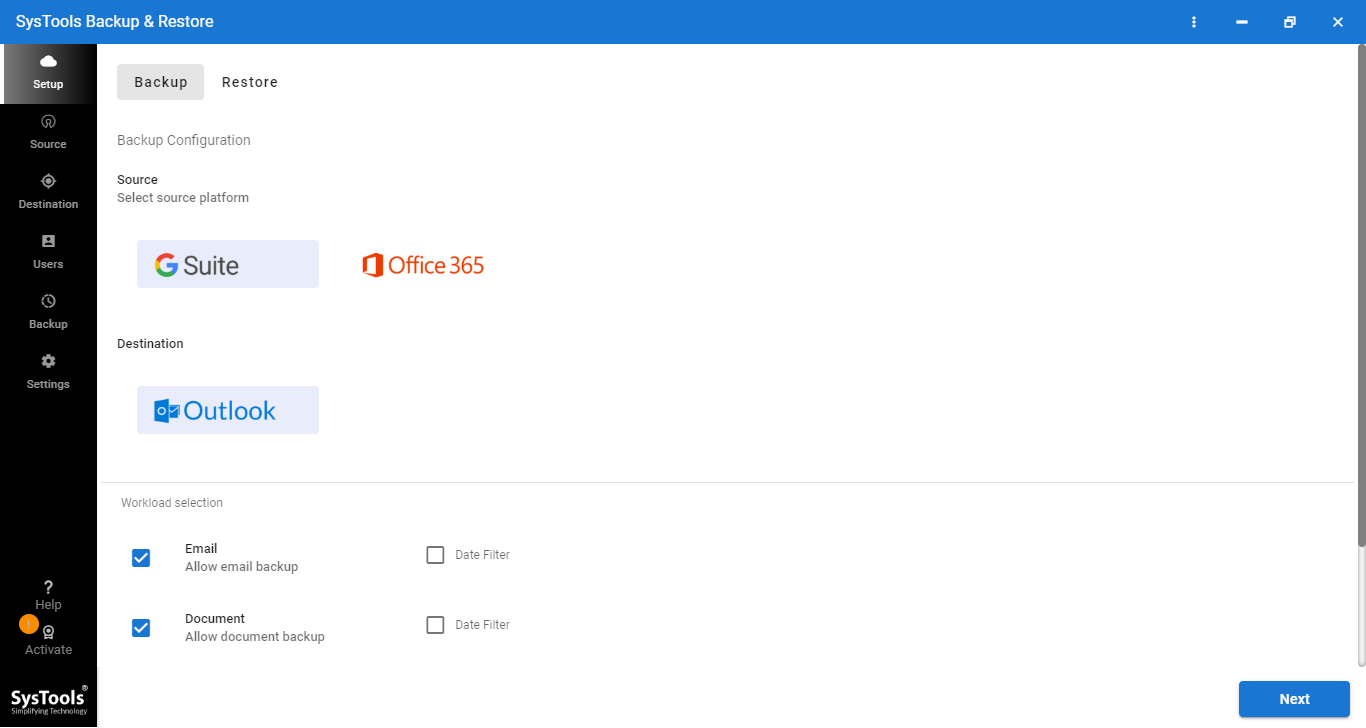
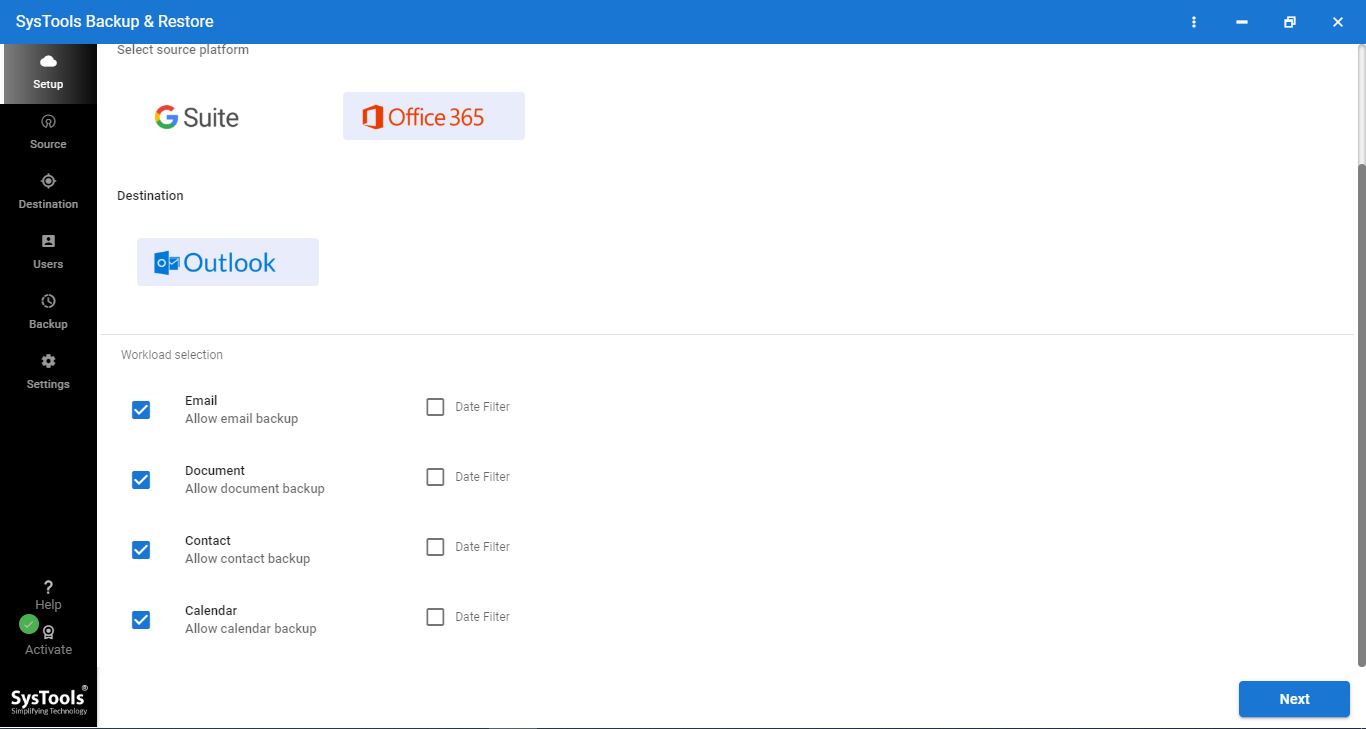
Choose Exactly What You Want to Backup

SysTools Office 365 email backup tool lets user pick and choose which parts of your Office 365 account actually. Get backed up instead of forcing you into an all-or-nothing copy. Whether you just need your inbox safe or want a complete snapshot of your mailbox, contacts and calendar too.

  • Email: Backs up your entire mailbox, including all the messages, attachments, and folders sitting in your inbox and beyond. This is usually the first thing people think of when they hear email backup and for good reason, since losing years of correspondence can be a nightmare.
  • Document: Covers files stored in your account, such as those saved in OneDrive or attached documents tied to your Office 365 workspace. Handy if you rely on cloud storage for day-to-day work files.
  • Contact: Saves your entire contact list, so names, numbers, email addresses, and other details don't vanish if something goes wrong with your account. A small thing until you actually need it.
  • Calendar: Backs up your scheduled events, meetings, and appointments, keeping your entire calendar history intact even if your account gets wiped or migrated.

For each of these, the Date Filter option adds an extra layer of control. Turn it on, and you can set a From Date and To Date to back up only the data created or received within that range instead of pulling in your entire history.

Key Features of Office 365 Email Backup Tool

Software Enables Multiple Advanced Features to Backup Office 365 Emails

Complete Office 365 Mailbox Backup

Office 365 mailbox backup tool enables users to create backups of the entire Office 365 mailbox. With its help, users can back up Office 365 calendars, contacts, emails, tasks, etc., and create Office 365 offline backup files.

Backup Office 365 Email in PST

Office 365 mailbox backup tool enables exporting Office 365 emails in PST format. The entire Office 365 emails are backed up in a PST file without any changes in email metadata.

Backup A Single Office 365 Account

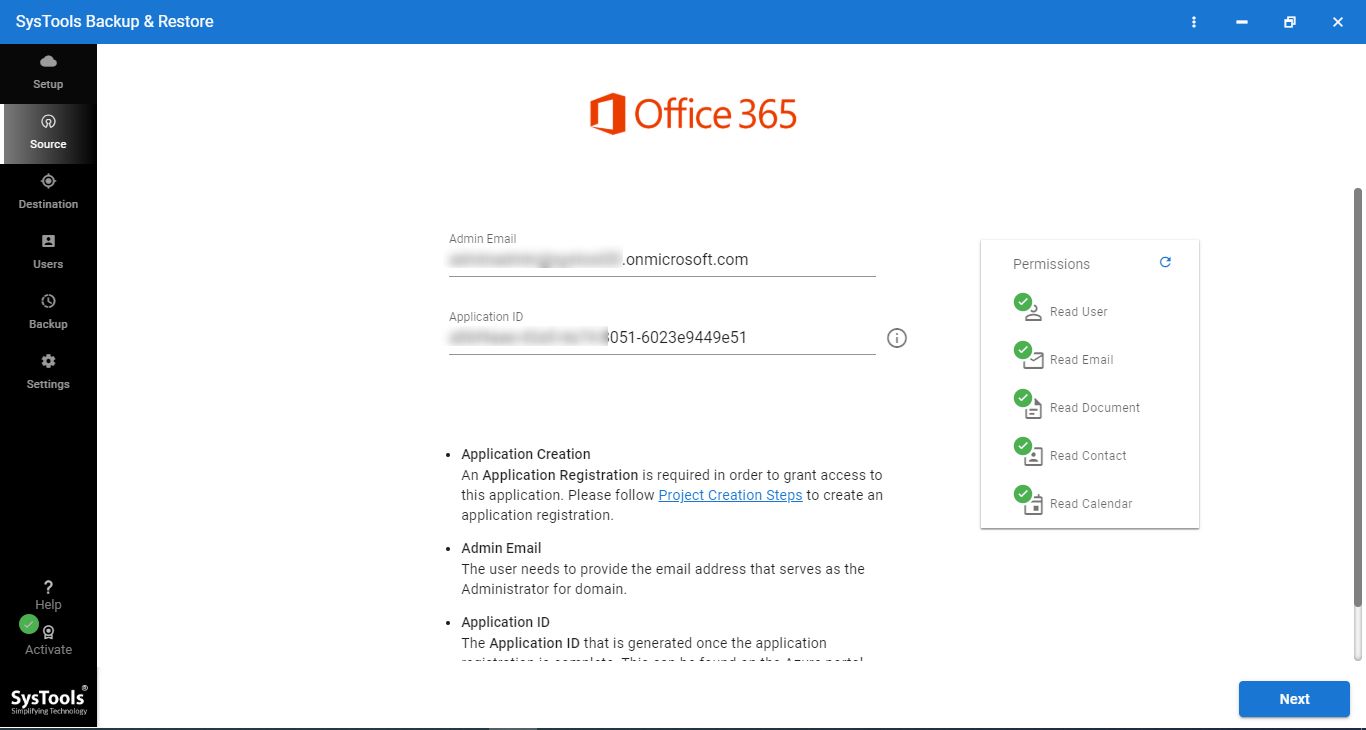
With Office 365 email backup tool, users can export Office 365 mailboxes to a single user. Users need only know their Office 365 account credentials to do this.

Cross User to Restore

It has functionality that lets the admin restore one O365 member's data to another user account. Moreover, if someone leaves the organization and has a PST on his computer, it can easily restore its data to an active Office 365 user account.

Backup Office 365 Multiple Accounts

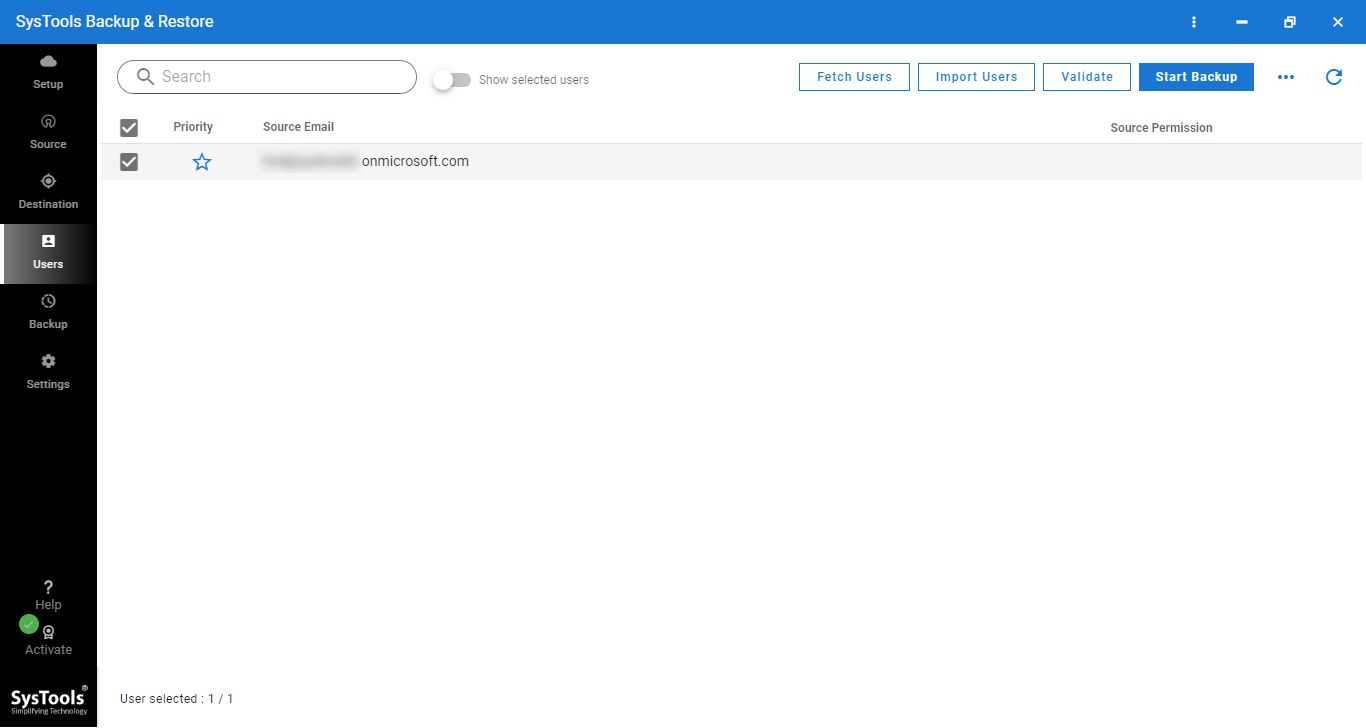
It allows the user to log in as an administrator and export Office 365 users at the same time via the impersonation feature. Separate Office 365 backup and save in PST files are created for each Office 365 account.

Outlook 365 Mail Backup

Users can easily export PST from Office 365 online and create a With the help of the software, one can easily archive Office 365 mailboxes to PST and restore them later on.

Selective Office 365 Email Backup

Office 365 saves emails to the desktop selectively with the software. This is done with date and mailbox filters and only backup data selected to download PST files from Office 365.

Naming Conventions for Emails

The software offers a naming convention option for saving Office 365 Outlook email backup as an EML file format. This enables users to sort and sort multiple EML files easily.

Processing of Real-Time Status

This Office 365 Backup tool provides all the information on the framework in a clear and concise manner. If you perform a Backup or Restore process, the complete live progress report of an ongoing task appears on the software interface. You will get all the information like User ID, Calendars, and Contacts. Status, and Mails.

Office 365 Exchange Mailbox Backup

The user can easily create an Office 365 Exchange online backup on the local machine with the help of Office 365 Exchange backup software The data can be retrieved later in Office 365 when required.

Office 365 Backup Tool- Specifications

Try Free Demo Version and Test The Backup Process for Free

Software Download

Size: 164.51 MB

Version: 7.7.0

MD5: 9b2c916cdfd71946c0f20a34b666ec83

Trial Limitations

Limitations

Microsoft 365 backup tool free demo version will backup complete Office 365 mailbox data from 2 user accounts only. Buy full version to unlock this limitation.

System Specifications

Hard Disk Space:
Around 500 MB for installation & tool requires at least 5GB of free space to store data.

RAM
Minimum 8 GB of RAM is recommended

Processor
Minimum 8 core Processor 2.3 GHz Processor

Pre-Requisites

  • Minimum Microsoft .NET Framework 4.6
  • Create Console Project for both Source & Destination accounts
    • Create Project in Office 365
  • Destination users should be already created at destination location.

Supported Platforms

  • Windows Server 2012, Windows 10 (64-bit)

FAQs

Question: Is your Anti-Virus blocking the software export process?

Solution: Please disable anti-virus temporarily/Allow access (Whitelist) from Anti-virus settings for proper working of the software.

Question: Unable to create output in destination?

Solution : Please avoid source from NAS, SAN, Network or Shared drive. Source file should be on migration machine to perform successful migration.

Electronic Delivery

The delivery of product is automated. You will receive an email containing both the link to download the product and the activation key within few minutes after payment confirmation.

Software Customization

If you need to customize Office 365 Backup Software or need additional features then, Request Quote

Office 365 Backup Tool - Free vs Paid

Understand The Feature Difference Between Free and Full Version

Features

Free Version

Paid Version

Backup Multiple Office 365 Mailbox

Import From CSV & Server User A/C Details

Windows 11, 10, 8 and 7 Versions Supported

Options to Add Mailbox Internally

Backup Office 365 Email, Calendar, Contact, and Document

2 User Accounts

All items

Save & Restore Office 365 Mailbox from Backup

2 User Accounts

All items

FAQs

Frequently Asked Questions

Simple 5 Steps to Backup Outlook 365 Mailbox Data:

  • Download the Office 365 Mailbox Backup Tool.
  • Enter your "User" or "Admin" credentials to sign in.
  • Select the Office 365 Backup option.
  • Browse to Provide a desired location.
  • Select "File Format" and click Start.

The users can deploy Office 365 Email backup tool as it enables users to create Office 365 backups in PST file format and create an Office 365 online archive mailbox.

Office 365 backup solution provides an impersonation feature that enables the user to log in to an Office 365 account as an admin. It also allows backups of other user accounts in PST format.

The software allows users to backup Office 365 backups on-premise in PST file format, which can then be converted to an on-premise Exchange data format.

The Office 365 backup tool allows users to select mailboxes to be exported to PST using date filters and mailbox filters.

What Clients Are Saying?

Best Software to Backup Office 365 Mailbox and Save Locally

star rating

4.6
Average Google Rating

Overall Rating

★★★★★

4.8
Average Customer Rating